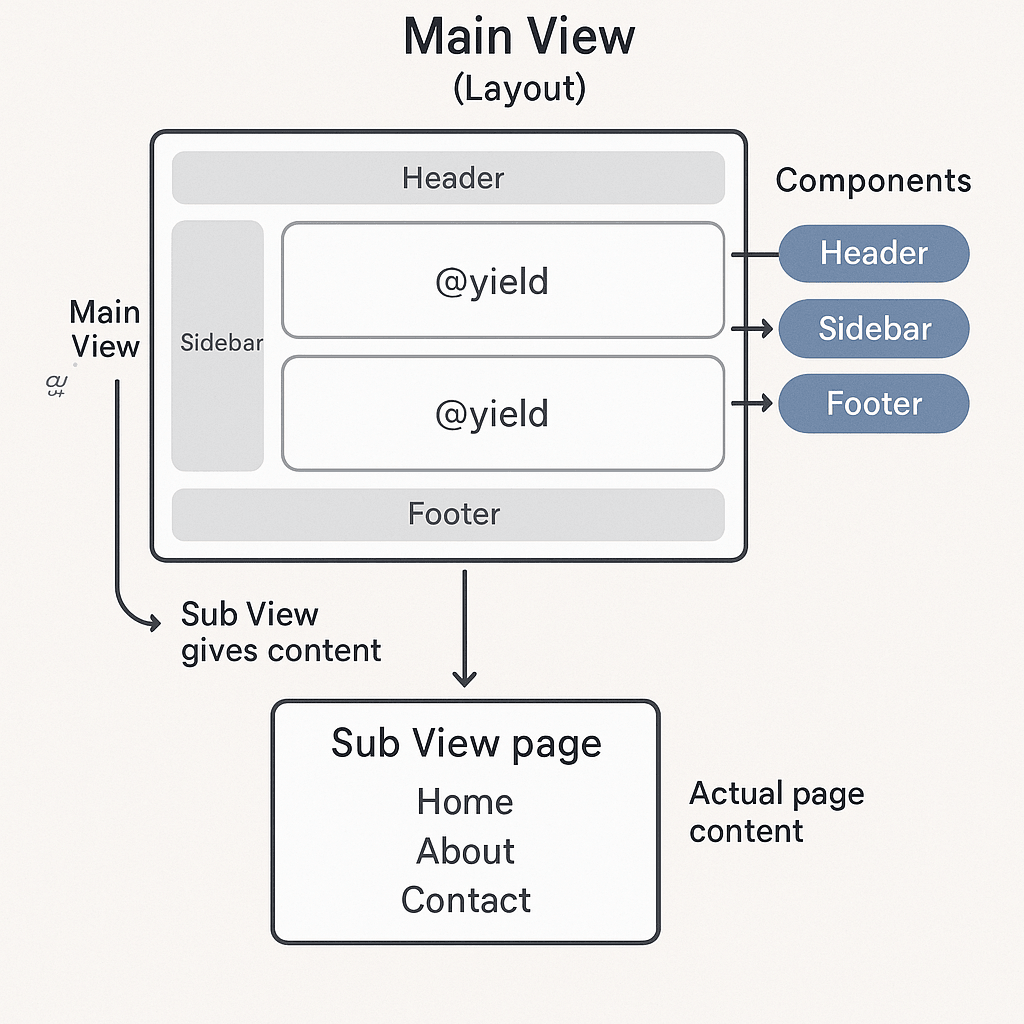
Similar to Laravel, leaf MVC uses blade template. So this is a easy concept of how it inherit the template.
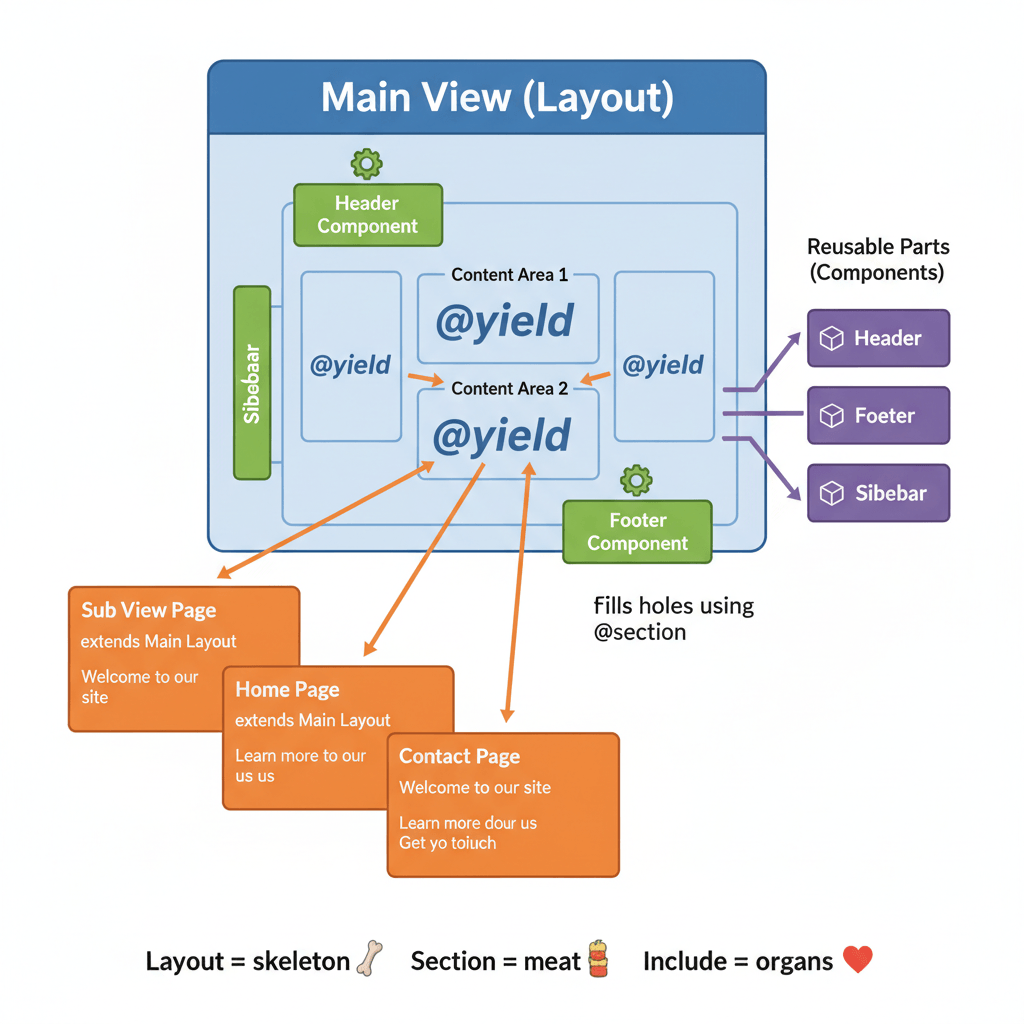
The 3 simple pieces (very easy version)
1️⃣ Main View (Layout)
This is the full HTML structure of the page.
- Has
<html>,<head>,<body> - Includes reusable parts (header, footer, sidebar, etc.)
- Uses
@yieldas empty holes where content will go
📌 Example idea:
“Something will come here later”
<html>
<body>
  @include('header')

  @yield('content')

  @include('footer')
</body>
</html>
2️⃣ Sub View (Page)
This is the actual page content (home, about, contact, etc.)
- It extends the main layout
- It fills the holes using
@section
📌 Example idea:
“I will put content into that hole”
@extends('layout')

@section('content')
  <h1>Welcome</h1>
@endsection
3️⃣ Components / Includes
These are reusable parts (like WordPress modules):
- Header
- Footer
- Navbar
- Sidebar
Used with @include
@include('header')
What really happens (step-by-step)
- You open sub view (e.g.
home.blade.php) - It says:
👉 “I extend the main layout” - The main layout loads
- Blade finds
@yield - Blade fills
@yieldwith matching@section - Included components are inserted
- Final HTML is generated 🎉
One-line summary (ultra simple)
Sub view gives content → Main view provides structure → Components are reusable parts
OR
Layout = skeleton, Section = meat, Include = organs 😄